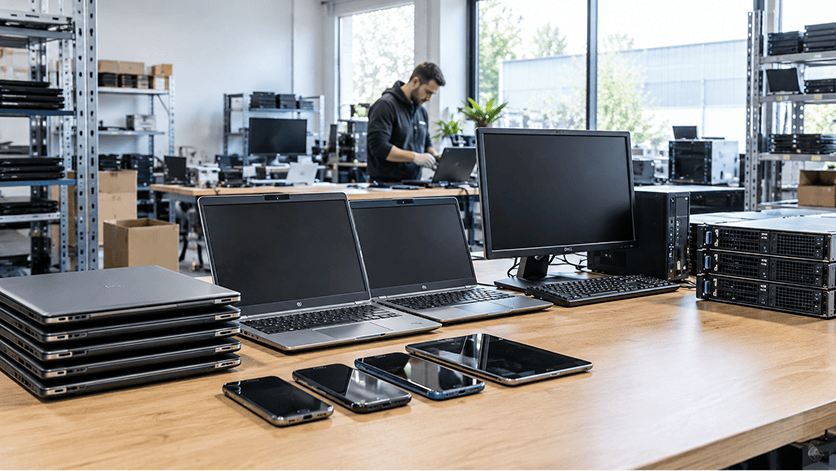
Every summer, school IT teams round up the Chromebooks and laptops that have aged out of the classroom. Some get wiped and reissued to students in the fall, and the rest often sit in a storage room until someone arranges a pickup.
Before scheduling that collection, find out what the provider will do with the equipment after it leaves your building. Will it be evaluated for reuse? How will its data be handled? What records will your district receive?
That’s where IT asset disposition, or ITAD, comes in. A good ITAD provider helps schools decide which equipment should be repaired, resold, redeployed, or recycled, while managing the data protection and documentation that go with those decisions.
For districts with small IT teams, that support can take some of the work off their plate. OEM Source acts as an extension of the team, helping coordinate retirement planning, equipment evaluation, data sanitization, and replacement purchases.
What Schools Should Look for in an Electronics Recycling Partner
Electronics recycling recovers copper, aluminum, plastic, and other materials from equipment that has reached the end of its useful life. Many recyclers also offer data sanitization, refurbishment, and resale.
Because services vary, schools should look at what their arrangement actually includes. A collection focused on material recovery may not include evaluating devices for repair or resale. A comprehensive ITAD service brings those activities together with asset tracking, data sanitization, and final reporting.
ITAD and electronics recycling complement each other. The goal is to identify appropriate reuse opportunities and responsibly recycle the equipment that remains.
|
Service |
Recycling-focused pickup |
Comprehensive ITAD service |
|
Equipment evaluation |
Collects equipment for material recovery |
Checks each device for repair, reuse, and resale |
|
Data protection |
Confirm the sanitization services and documentation included |
Appropriate sanitization, including destruction when required by policy or unsuccessful erasure |
|
Asset tracking |
May include collection and recycling reports |
Serialized tracking and reconciliation within the agreed reporting scope |
|
Repair and parts recovery |
May not be included |
Evaluates repair and usable-component recovery |
|
Financial recovery |
Buyback or resale may not be offered |
Evaluates potential returns based on condition, demand, and processing costs |
Questions to Ask Your Current Provider
If you already have a recycler you’re happy with, ask a few questions to understand what your service covers:
-
Do you check equipment for repair or resale before recycling it?
-
How do you sanitize data, and how do you confirm the process worked?
-
What happens when a device cannot be successfully sanitized?
-
Will our reports distinguish erased media from physically destroyed media?
-
Can you track equipment by serial number and document its final outcome?
-
Do you offer buyback or revenue sharing on eligible equipment?
How Old Technology Can Help Pay for New Devices
Schools usually recover money from retired equipment in one of two ways. With an equipment buyback, the provider purchases eligible devices at an agreed price, subject to the agreed assessment and payment terms. With revenue sharing, the provider resells the equipment over time and pays the school an agreed share of the proceeds.
Either way, the amount a district receives depends on what the equipment can sell for and how much it costs to prepare it for a new owner. Buyers look at make, model, configuration, age, cosmetic condition, and remaining software support. Market demand matters too.
School devices can also require substantial preparation. Stickers, marker, and district identifiers need to be addressed before resale. Removing engravings may leave visible marks that lower the device’s cosmetic grade and sale price. Chromebooks still enrolled in the district’s management console also need to be properly released for transfer.
Once those costs are considered, some devices may cost more to prepare than they can recover. Others may offer a worthwhile return. That is why evaluation comes first.
Start With the Inventory You Have
The more information your district can share, the more useful an initial estimate will be. A list showing make, model, configuration, quantity, and known condition is a good starting point.
For example, “1,000 Dell laptops” gives a provider less information than a list broken down by model, processor, memory, storage, and condition.
But an incomplete inventory should not stop the conversation. If your team has limited time or older records, OEM Source can help identify what information is missing and plan how the equipment will be assessed.
An initial estimate helps with planning. Confirmed pricing or settlement depends on the agreed terms and, where applicable, inspection, testing, and grading.
Where That Value Comes From
Student Chromebooks and laptops are usually the first equipment districts think of when it comes to resale. Across a large collection, even a modest return per eligible device can add up. Staff laptops, tablets, and lab desktops may also have recovery potential.
Classroom technology can carry value as well. Interactive displays and video conferencing equipment may still be useful when a school replaces them, although demand and processing costs determine whether resale makes sense.
On the infrastructure side, servers, storage systems, and network switches retired during an upgrade may still find buyers.
Broken equipment has potential too. A Chromebook with a cracked screen or worn battery may be worth repairing. Technicians can sometimes recover working components from damaged devices to help refurbish other units.
At OEM Source, we evaluate these opportunities through our repair and refurbishment work, component recovery, and direct-to-consumer resale channels before directing equipment to recycling.
E-Rate Equipment Disposal
Many districts purchase networking equipment with help from E-Rate, the federal program that discounts eligible connectivity services and equipment for schools and libraries.
Under USAC guidance, equipment that has been installed for at least five years can generally be sold, donated, traded in, or disposed of. Trade-ins before that five-year period has elapsed are prohibited.
Schools should review the applicable funding restrictions and their own surplus procedures before arranging disposition. USAC does not require notification of qualifying disposal or trade-in, but the district should update its E-Rate asset inventory.
How Schools Can Spend Less on New Technology
Recovering money from old equipment is one part of the budget picture. Another is what your district spends on its next round of devices.
Looking at purchasing, repair, redeployment, and retirement together helps schools manage technology costs across the equipment’s useful life.
At OEM Source, we help schools source new and refurbished laptops, desktops, and peripherals through our established OEM relationships. Professionally refurbished equipment can offer a lower-cost option for computer labs, staff, and loaner programs. Schools should compare specifications, warranty coverage, and remaining software support alongside price.
Some existing equipment may also be suitable for redeployment as spares or loaners. Replacing a worn battery or cracked screen can make sense when the repair cost and remaining useful life justify it.
Coordinating purchasing and retirement also helps districts plan replacement timing and account for any expected recovery from outgoing equipment.
Protecting Student Data on Retired Devices
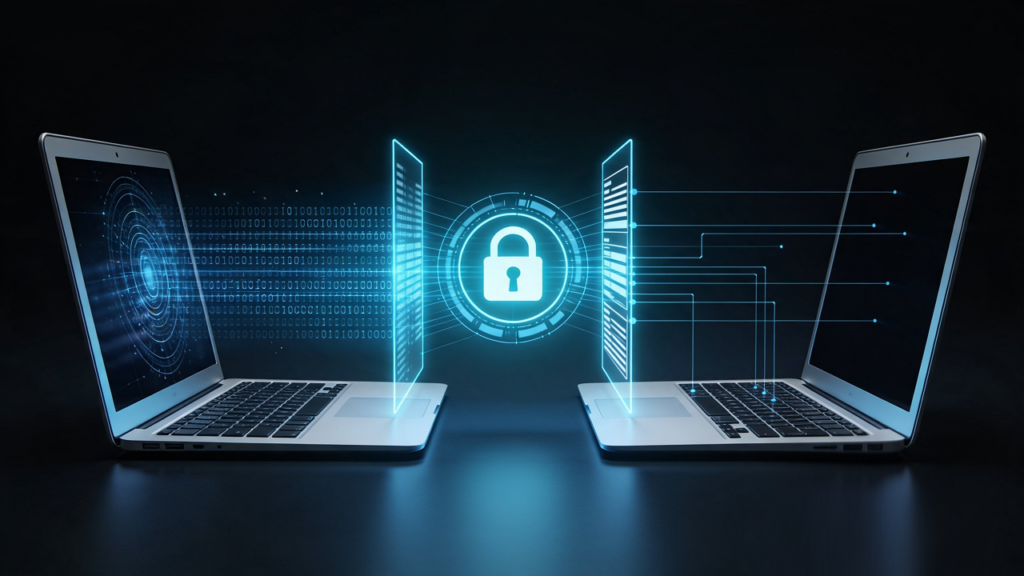
Retired Chromebooks, staff laptops, and servers may contain student records, saved credentials, and other sensitive information. Schools need a documented process for protecting that data whether the equipment will be reused or recycled.
Deleting files or performing a quick format should not be treated as proof that storage has been sanitized. What remains recoverable depends on the device, storage technology, and method used.
Chromebooks also require a distinction between data sanitization and device management. Deprovisioning releases a device from the district’s management environment, but it does not by itself confirm that local data has been sanitized.
Encryption needs similar care. Leaving a device encrypted is different from completing cryptographic erasure, which sanitizes the keys needed to recover the protected data. Google describes Chromebook Powerwash as performing cryptographic erasure, although some device information can persist and cloud data is handled separately. Information remaining after a reset does not necessarily mean student files are recoverable; the important questions are what remains, whether it is accessible, and whether the process meets the school’s requirements.
As an R2v3-certified IT asset disposition company, OEM Source is required to maintain documented controls for protecting data and managing sanitization of the data-bearing equipment we handle. Asset tracking, inventory reconciliation, sanitization records, and procedures for failed devices help reduce the risk of equipment being overlooked.
For school IT teams, that provides an additional layer of accountability. The process accounts for data-bearing equipment, documents sanitization outcomes, and identifies exceptions that need further action before equipment can be released for reuse.
We’ll explore these distinctions in more detail in our upcoming article on Chromebook sanitization, Powerwash, encryption, and deprovisioning.
Retiring School Chromebooks: What happens to the data left behind
What the Regulations Say
FERPA governs the privacy of student education records but does not prescribe a single equipment-disposal method. Schools should plan disposition around their privacy obligations, records-retention requirements, and internal policies.
Other requirements may apply depending on the institution and the information involved. The important step is to establish the school’s requirements before equipment is collected and agree on how handling, sanitization, and reporting will support them.
Data Erasure and Physical Destruction
Data sanitization makes access to the targeted data infeasible for a given level of effort. A complete process selects an appropriate method, checks that it completed successfully, validates the outcome, and documents the result.
NIST SP 800-88 Rev. 2 describes three sanitization methods:
-
Clear: Uses logical techniques to protect against recovery through normal system interfaces.
-
Purge: Provides protection against more advanced recovery techniques. Depending on the media and implementation, this may include block erase or cryptographic erasure.
-
Destroy: Physically renders the storage media unusable and makes recovery of the targeted data infeasible.
The method needs to suit the storage technology and the school’s requirements. An overwrite process appropriate for a traditional hard drive should not automatically be assumed suitable for flash storage.
Erasure can preserve reuse opportunities when the method is appropriate and the result is verified and validated. If sanitization fails, the media is damaged, or school policy requires destruction, the affected storage follows the agreed destruction process.
For computers with removable drives, the remaining equipment may still be refurbished with replacement storage. Devices with integrated storage require a different assessment of how the media can be destroyed and what, if anything, remains reusable.
How OEM Source Protects Data and Preserves Reuse Opportunities
We start by understanding what the district has, its data protection requirements, and what it wants to accomplish. Before collection, we agree on the handling, sanitization, reporting, and exception procedures that will guide the project.
Our technicians then evaluate opportunities to repair and reuse eligible equipment. Assets that cannot reasonably be reused move to responsible recycling, with data-bearing media handled according to the agreed requirements.
Secure Handling and Chain of Custody
A large school pickup can involve thousands of devices, and some computers contain more than one storage drive.
OEM Source provides secure collection, inventory reconciliation, and chain-of-custody tracking through the agreed processing scope. Establishing that scope before pickup helps the district understand when equipment will be identified, how discrepancies will be addressed, and what records it will receive.
Reporting can also link each storage drive to the computer or server it came from. That relationship helps the school reconcile its assets and confirm how the associated media was handled.
If equipment cannot be accessed or sanitization fails, the exception needs to be recorded and resolved through the agreed process. It should not disappear into an unexplained inventory difference.
Reporting and Certifications
Our reports distinguish successful erasure from physical destruction so the district can see how its media was handled. Sanitization records document the method and outcome, while final disposition reporting accounts for the equipment’s processing results.
OEM Source holds R2v3 and NAID AAA certifications. We confirm the applicable certified services and project scope when planning the work with the district.
The purpose of these records is practical: your team should be able to reconcile what was collected, understand any exceptions, and account for the final outcome.
A Second Life for School Technology Helps Bridge the Digital Divide
A device that no longer meets one school’s needs may still be useful to another household or organization.
Once eligible equipment has been appropriately sanitized and refurbished, resale can make technology available at a lower cost than comparable new equipment. That can help more households access usable computers while keeping those devices in service longer.
The outcome depends on the equipment and the resale or distribution program. Reuse creates an opportunity to expand access to affordable technology without assuming every retired school device will reach a particular student or community.
Plan Your District’s Next Technology Upgrade With OEM Source
The best time to plan for retired equipment is before the next refresh begins, while there is time to review inventory, establish data protection requirements, and evaluate reuse and recycling options.
You do not need every answer before starting. For districts with small IT teams, OEM Source can help organize the process, identify missing information, and coordinate the work from collection through reporting.
We support K–12 districts, colleges, and universities with retired technology management, value recovery, and responsible recycling. We can also help source the new and refurbished equipment that comes next.
Request a free consultation to discuss your upcoming refresh, the information you already have, and the options available for your equipment.
Frequently Asked Questions
What should schools do with old Chromebooks?
Start with the information available about each model, its condition, management status, and remaining software support. Work with a provider to establish appropriate sanitization and evaluate reuse or resale potential. Equipment without a viable reuse path should move to responsible recycling with the agreed documentation.
What is the difference between electronics recycling and ITAD?
Electronics recycling recovers materials from equipment. ITAD coordinates the broader retirement process, including data sanitization, asset tracking, repair, resale, redeployment, and recycling. Many providers offer both, so compare the specific services included.
Does every working device have resale value?
No. Demand, specifications, condition, software support, management status, and processing costs all affect recovery. A working device may cost too much to prepare for resale, while one needing a minor repair may still produce a return.
Is it safe to reuse school devices after data sanitization?
Reuse can be appropriate when the sanitization method suits the media and the result is successfully verified and validated. Schools should receive documentation identifying the affected media, method, and outcome. Deprovisioning and other release requirements also need to be addressed.
Can schools sell equipment bought with E-Rate funds?
USAC guidance generally permits sale, donation, or trade-in after equipment has been installed for at least five years. Schools should confirm applicable restrictions, follow district surplus procedures, and update their E-Rate asset inventory.
Does FERPA require schools to shred retired drives?
FERPA does not impose a universal shredding requirement for retired equipment. Schools should select appropriate sanitization methods consistent with their privacy obligations, retention requirements, and policies, and document how the equipment and data were handled.